
Excel library
How to Convert Percentage to Basis Points in Excel
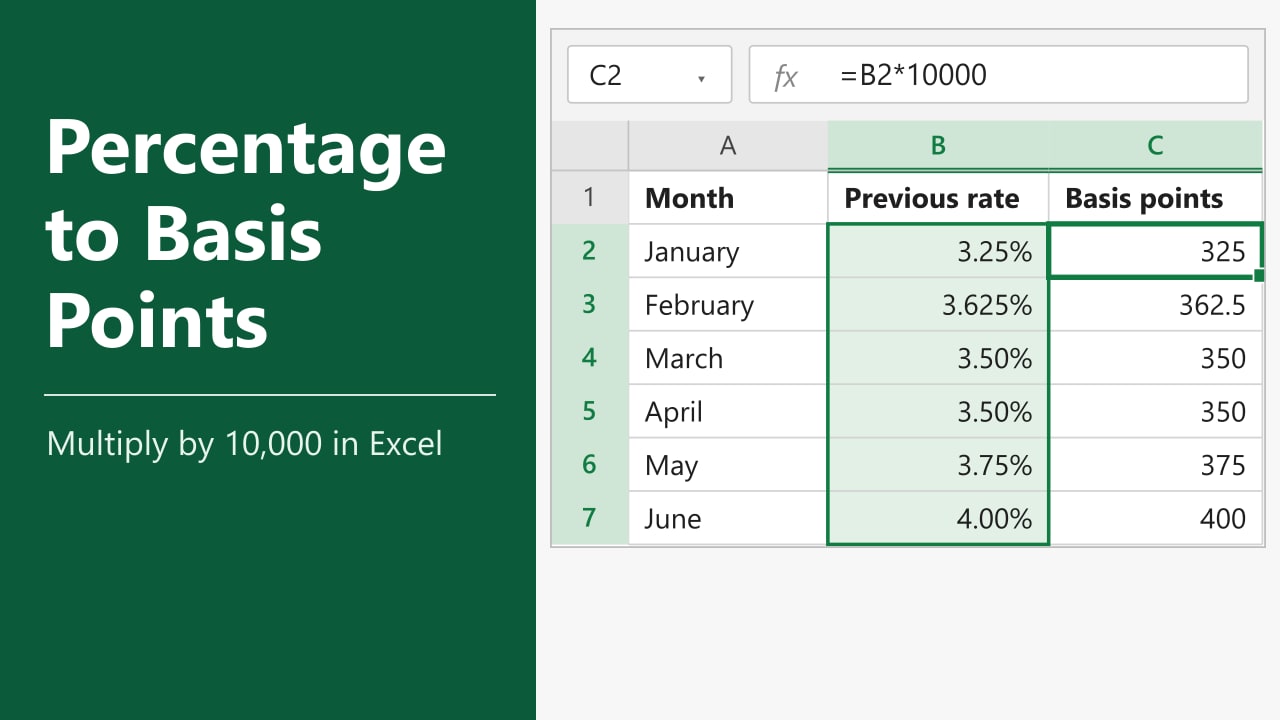
Your worksheet shows rates as percentages, but your report asks for basis points. A rate of 3.25% is 325 basis points, and a move from 3.25% to 3.625% is a rise of 37.5 basis points. In this tutorial, I'll show you how to convert percentage to basis points in Excel and measure the change between two rates.
- With an Excel percentage in B2, enter
=B2*10000in a result cell. - Format the result as General or Number and fill the formula down.
- To measure the change from B2 to C2, use
=(C2-B2)*10000.
Use the first formula when you have one percentage per row to convert.
What Is a Basis Point?
A basis point, abbreviated bps, is one hundredth of a percentage point. One basis point equals 0.01%, and 100 basis points equal one percentage point. This unit is common when reporting changes in interest rates, yields, and fees.
Method 1 — Multiply to Convert Percentage to Basis Points in Excel
Use this formula when you already have a percentage in each row and want to express that same rate in basis points. It works with percentages you type into Excel and with numeric results from a percentage formula.
The example has six months of data in A1:C7, with previous rates in column B and current rates in column C. Enter each rate with its percent sign when recreating the example.
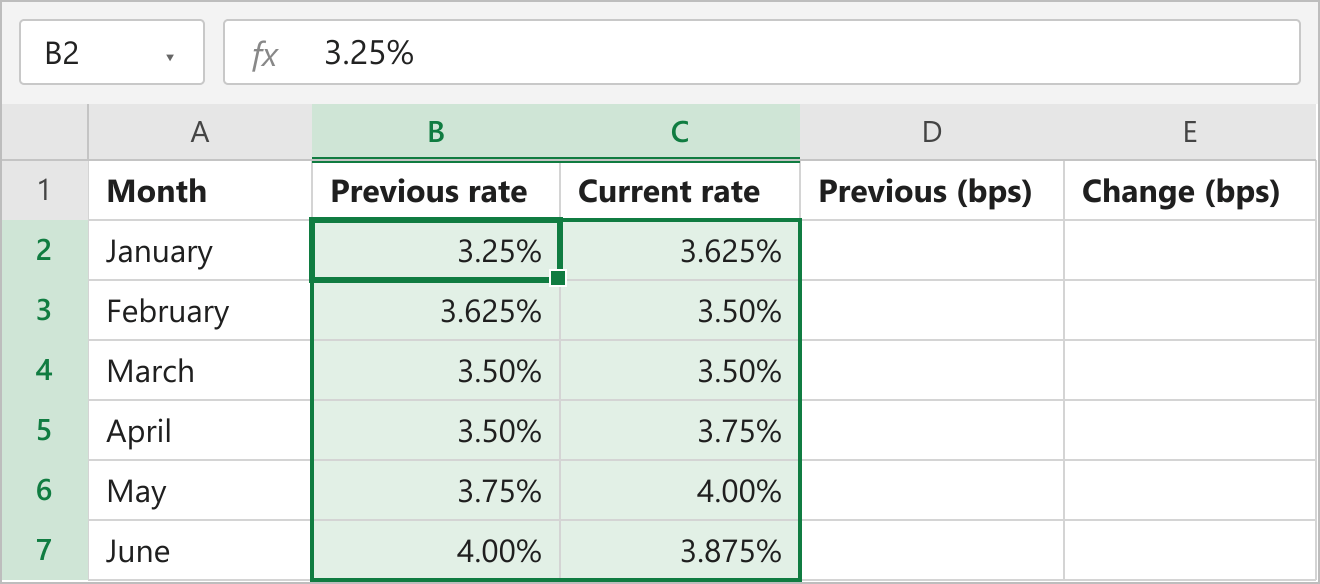
- Select D2, the first cell under Previous (bps).
- Choose General in the Number Format list on the Home tab.
- Type the formula below.
- Press Enter to return 325.
- Drag the fill handle from D2 down through D7.
=B2*10000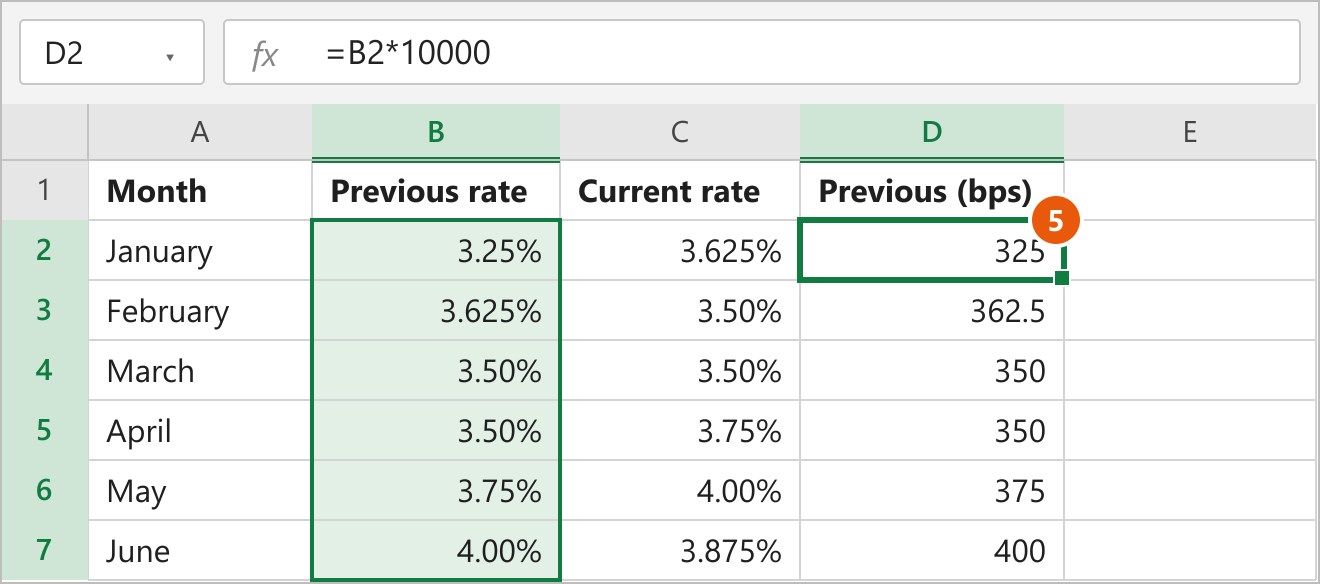
Excel stores 3.25% as the decimal 0.0325. A single basis point is 0.0001 in that same decimal form, so multiplying by 10,000 gives you 325. As you fill down, Excel updates the cell reference for each row. The February formula reads B3 and converts 3.625% to 362.5 basis points.
When the source cell contains 3.25 for 3.25%
Some exports record rate values as plain numbers, with a column label that supplies the percent unit. If B2 contains the number 3.25 and the source defines it as 3.25%, use the formula below.
=B2*100Here, each unit in the source column represents one percentage point. That gives you 100 basis points per unit and 325 basis points for 3.25. If you are unsure which convention the sheet uses, check a known rate. You can copy the value to an unused cell, paste it as a value, and set its format to General to see whether 3.25% is stored as 0.0325 or supplied as 3.25.
Method 2 — Subtract Rates to Find the Change in Basis Points
Use this method when your report asks how far a rate moved between two dates. The example uses the same previous rates in B2:B7 and current rates in C2:C7.
- Select E2, the first cell under Change (bps).
- Choose General in the Number Format list on the Home tab.
- Type the formula below.
- Press Enter to return 37.5.
- Drag the fill handle from E2 down through E7.
=(C2-B2)*10000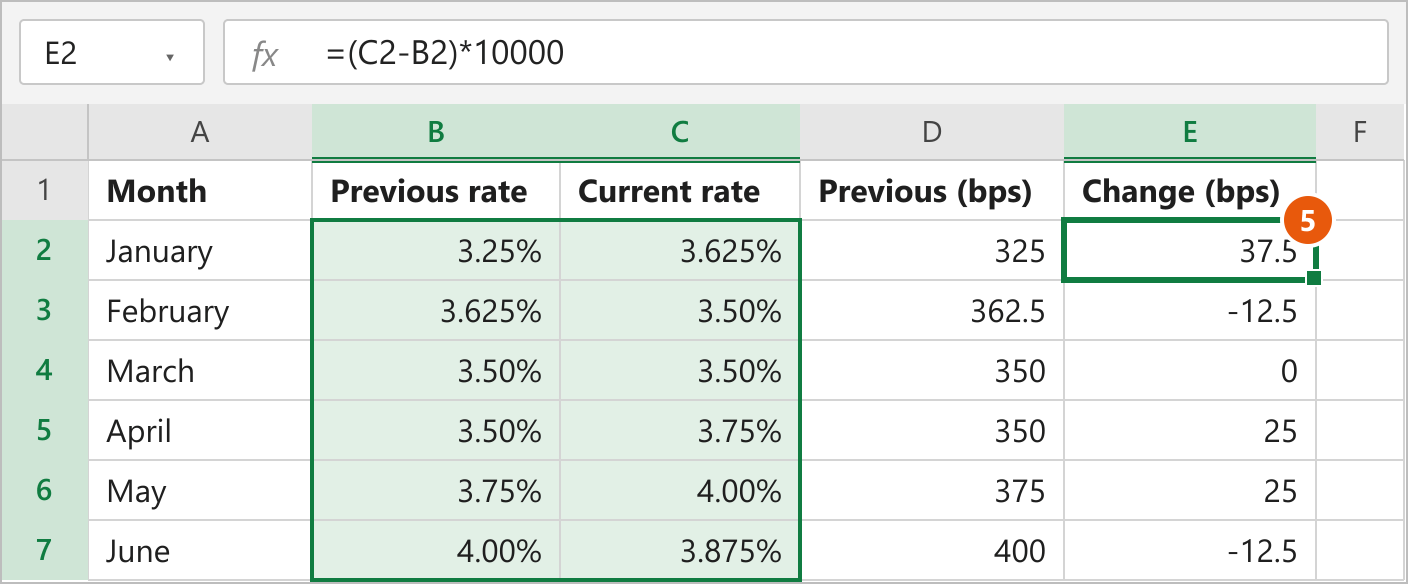
The parentheses tell Excel to subtract the previous rate from the current rate first. For January, 3.625% minus 3.25% is 0.375 percentage points. Multiplying the stored difference, 0.00375, by 10,000 gives 37.5 basis points. February returns -12.5 because the rate fell, and March returns zero because both rates were 3.50%.
Use current rate minus previous rate to keep the direction of the change. If your report instead asks for relative percentage change, divide the difference by the previous rate. For January, that calculation gives about 11.54% because it measures the increase against the original 3.25% rate.
Note Both input columns need to use the same units before you subtract them. If both contain plain numbers on the percentage scale, such as 3.25 and 3.625, use =(C2-B2)*100 to get the same 37.5 basis points.
FAQs
Why does Excel show 32,500% instead of 325?
How do I convert basis points back to a percentage?
Can basis points be fractional?
How do I keep missing rates blank in the results?
How do I add a bps label and keep the result numeric?
Conclusion
For a column of Excel percentages, multiply each value by 10,000 and display the results as numbers. When you have two rates and want to report the change, subtract the previous rate from the current rate before multiplying.